
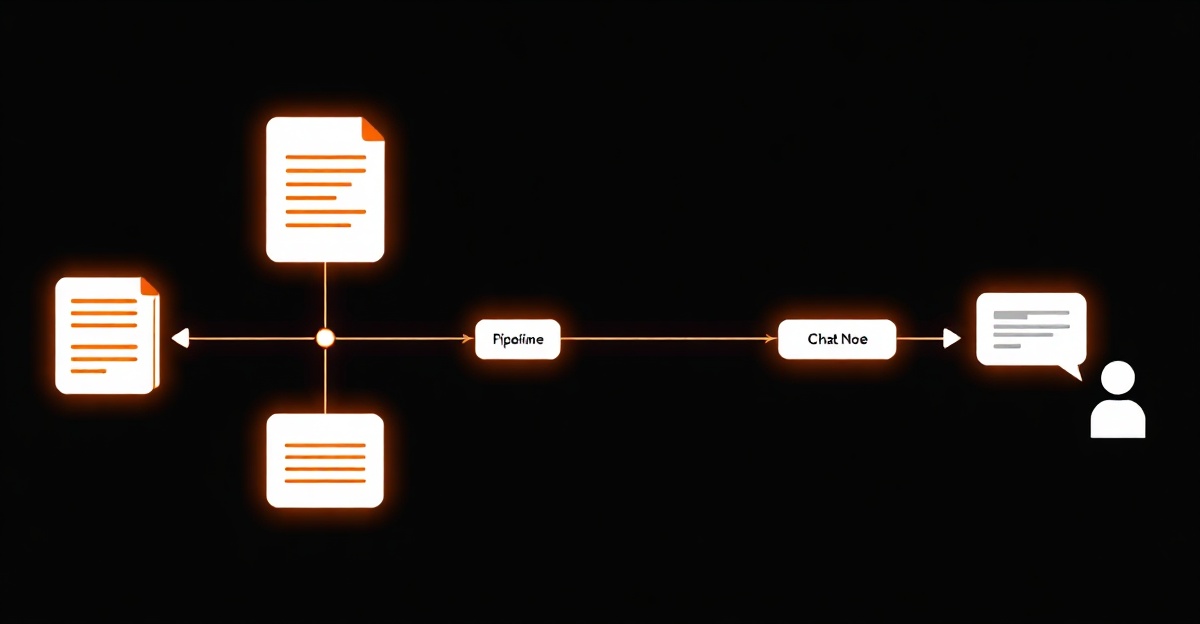

A LangChain RAG pipeline connects your notes to an LLM in six stages: load your documents, split them into overlapping chunks, embed each chunk into a vector, store the vectors in a vector database, retrieve the chunks closest to a question, and pass those chunks plus the question to a language model that answers from them with citations. LangChain supplies a swappable component for each stage and an LCEL retrieval chain to wire them together, so the whole thing is a few dozen lines. The part that decides answer quality is retrieval — chunking and search — not the model.
Key Takeaways
- RAG is six stages, not a black box. — Load your notes, split them into chunks, embed each chunk, store the vectors, retrieve the closest ones to a question, and let an LLM answer from them. LangChain gives you a component for each stage; the value is the wiring, not magic.
- The retriever is where answers are won or lost. — When a RAG answer is wrong, the model usually did its job on bad inputs. Chunking and retrieval decide what the model even sees, so that is where the time goes — not in swapping to a bigger model.
- Start local, swap stores later. — Chroma runs the vector store on your machine with no account. Because LangChain abstracts the store behind one interface, moving to a hosted vector database later is a component swap, not a rewrite.
- Pin versions; verify the imports. — LangChain reorganizes its packages often. The code here works against current releases, but treat every import path as something to check against the docs before you ship.
What is RAG, and what does LangChain actually do?
A few months ago I wired my own published writing to a chatbot, and the lesson that stuck was not about the model. It was that the model is the easy part. Retrieval-augmented generation means you fetch the passages relevant to a question from your own material and hand them to a language model so it answers from your notes instead of its training data. The model only sees what you retrieve, which means the quality of the answer is decided before the model is ever called — in how you split your notes and how you search them.
LangChain is the wiring for that. RAG has six moving parts — a loader, a splitter, an embeddings model, a vector store, a retriever, and a chat model — and LangChain ships a component for each, plus a chain syntax that connects them. That is the whole pitch: you get the integrations for free and you can swap any single piece, say the vector store, without rewriting the rest. The cost is a layer of abstraction over steps that are individually small. The rest of this tutorial is the pipeline in the order the data flows through it, with the code for each stage.
What is in the pipeline?
Six components, and only the embeddings and generation calls cost money to run. The vector store is local; the splitter and retriever are plumbing.
| Stage | LangChain component | Why this choice |
|---|---|---|
| Load | A document loader (e.g. directory / text loader) | Reads your notes off disk into LangChain Document objects, keeping each file’s metadata so answers can cite the source. |
| Split | RecursiveCharacterTextSplitter | Breaks on paragraph/sentence boundaries with overlap, so a passage near a boundary survives intact in at least one chunk. |
| Embed | OpenAI embeddings (text-embedding-3-small) | Cheap, fast, and accurate enough for retrieving prose; a larger embedding model buys precision a personal KB does not need. |
| Store | Chroma (local vector store) | Runs on your machine with no account and persists to disk. Swap for a hosted store later by changing this one component. |
| Retrieve | vectorstore.as_retriever() | Turns the store into a retriever that returns the top-k chunks for a query. This is the component that decides answer quality. |
| Generate | A chat model (e.g. gpt-4.1-mini) | The retrieved chunks do the work, so the model can be fast and cheap rather than frontier-scale. |
How do you set up and load your notes?
Install the packages and load your notes into Document objects. LangChain splits its
integrations into partner packages — the OpenAI bindings, the Chroma bindings, and the core library
are separate installs. (Pin these versions: LangChain reorganizes packages often, and an import path
that worked last quarter may have moved.)
pip install langchain langchain-openai langchain-chroma langchain-community langchain-text-splitters

# load a folder of .md / .txt notes into Document objects
from langchain_community.document_loaders import DirectoryLoader, TextLoader

loader = DirectoryLoader(
    "./notes",
    glob="**/*.md",
    loader_cls=TextLoader,
)
docs = loader.load()   # each Document keeps its source path in metadata
Each Document carries the file it came from in metadata, which is what lets
the final answer cite back to the note. Keep that metadata through every stage — losing it is the
most common reason a RAG bot can retrieve the right passage but cannot tell you where it came from.
How should you split the documents into chunks?
Split before you embed, with overlap. The part people skip is the overlap: if you cut notes into hard, non-overlapping blocks, a sentence that answers the exact question gets split across two chunks and retrieved as neither. The recursive splitter tries paragraph and sentence boundaries first, so chunks stay whole:
from langchain_text_splitters import RecursiveCharacterTextSplitter

splitter = RecursiveCharacterTextSplitter(
    chunk_size=1000,
    chunk_overlap=200,
)
chunks = splitter.split_documents(docs)
# chunk_size / chunk_overlap are the only two knobs that matter here
There is no universally correct chunk size — it depends on your notes — but ~1000 characters with ~200 of overlap is a sane default for prose you rarely have to touch. If retrieval keeps missing the obvious passage, this is the first place to look, before you blame the model.
How do you embed and store the vectors?
Embed each chunk into a vector and put the vectors in Chroma. This single call embeds every chunk and writes it to a local store that persists to disk — no service, no account, no network hop:
from langchain_openai import OpenAIEmbeddings
from langchain_chroma import Chroma

embeddings = OpenAIEmbeddings(model="text-embedding-3-small")

vectorstore = Chroma.from_documents(
    documents=chunks,
    embedding=embeddings,
    persist_directory="./chroma-db",
)
# the whole "vector database" is now a folder on disk you can back up
The store is a directory you can copy and back up. That is the appeal of starting local: there is nothing else running. Because LangChain hides the store behind one interface, the day you actually outgrow Chroma you swap this component for a hosted store and leave the rest of the pipeline alone.
How do you retrieve chunks and generate the answer?
Now wire it into a chain. Turn the store into a retriever, write a prompt that constrains the model to the retrieved context, and connect retriever -> prompt -> model -> parser with LCEL — LangChain’s pipe syntax for composing the steps into one callable:
from langchain_openai import ChatOpenAI
from langchain_core.prompts import ChatPromptTemplate
from langchain_core.runnables import RunnablePassthrough
from langchain_core.output_parsers import StrOutputParser

retriever = vectorstore.as_retriever(search_kwargs={"k": 6})
model = ChatOpenAI(model="gpt-4.1-mini")

prompt = ChatPromptTemplate.from_template(
    "Answer the question using only the context below. "
    "Cite the source of each fact. If the context does not "
    "contain the answer, say so.\n\n"
    "Context:\n{context}\n\nQuestion: {question}"
)

def format_docs(docs):
    return "\n\n".join(
        f"[{d.metadata.get('source')}] {d.page_content}" for d in docs
    )

chain = (
    {"context": retriever | format_docs, "question": RunnablePassthrough()}
    | prompt
    | model
    | StrOutputParser()
)

print(chain.invoke("What did I conclude about chunk overlap?"))
That k=6 is the top-k handed to the model — the six chunks closest to the embedded
question. The prompt does two jobs: it constrains the model to the retrieved context, and it tells the
model to admit when the context does not contain the answer, which is how you stop a RAG bot from
confidently inventing things. Format the chunks with their source metadata and the model can cite back
to the note each fact came from. That is the entire pipeline: load, split, embed, store, retrieve,
generate.
Why does a RAG answer come back wrong?
When the answer is wrong, the model is usually innocent — it did its job on bad inputs. The failure is
almost always upstream, in what the retriever handed it. The discipline here is the same one I bring to
a race block: when the number looks bad, you check the inputs before you blame the engine. Inspect what
retriever.invoke("your failing question") actually returns before you touch anything else.
Three things to check, in order:
- Chunking. Is the answer being split so it lands in no single chunk? Raise overlap or rethink the size.
- Top-k. Too few retrieved chunks miss context; too many bury the relevant one in noise. Tune
k. - Embedding match. Are your queries and your documents in the same language and register? A mismatch quietly tanks retrieval.
Reaching for a bigger generation model rarely fixes a retrieval problem. It just makes a confident wrong answer cost more. Spend the effort where it changes the output, which in RAG is almost always the retriever. If you want the strategy case for why a citable knowledge base beats another note-taking app in the first place, I made it in Build a Second Brain That Answers Back on ctaio.dev. If you would rather see this same pipeline with no framework at all — sqlite-vec and a few hundred lines of plain code — that is Build Ask Tom. And if you are weighing the other framework, I compared the two in LlamaIndex vs LangChain for a personal knowledge base.
FAQ
What is RAG, and why use LangChain for it?
RAG — retrieval-augmented generation — means you retrieve relevant passages from your own data and give them to a language model so it answers from your material instead of its training. The reason to use LangChain is that the pipeline has six moving parts — loader, splitter, embeddings, vector store, retriever, model — and LangChain ships a swappable component for each plus a chain syntax (LCEL) to wire them together. You get the integrations for free and can change any single piece, say the vector store, without touching the rest. The cost is a layer of abstraction over steps that are individually small, which is the trade you are making against a from-scratch build.
How do you chunk documents before embedding them?
I use LangChain’s RecursiveCharacterTextSplitter with overlapping windows — on the order of a thousand characters per chunk with a couple hundred characters of overlap. The recursive splitter tries to break on paragraph and sentence boundaries first, so chunks stay semantically whole instead of cut mid-sentence. The overlap is the part people skip: without it, a passage that straddles a chunk boundary gets split across two chunks and retrieved as neither. There is no single correct chunk size — it depends on your documents — but for prose notes, ~1000 characters with ~200 of overlap is a sane default you rarely need to tune.
Which vector store should I use — Chroma, FAISS, or Pinecone?
Start with Chroma or FAISS locally. Chroma runs as a local store with no account and persists to disk, which is all a personal-scale knowledge base needs; FAISS is a fast in-memory option if you do not need persistence. Reach for a hosted store like Pinecone only when you genuinely outgrow local — many corpora never do. The point of LangChain here is that the vector store sits behind one interface, so you develop against Chroma and swap in a managed store later by changing the store component, not the pipeline. Premature reach for a hosted vector database is a network hop and a bill in exchange for nothing you can feel at small scale.
Why is my RAG chatbot giving wrong or irrelevant answers?
Almost always it is retrieval, not the model. If the chunks handed to the LLM do not contain the answer, no model can produce it — it either guesses or hallucinates. Check three things in order: chunking (are passages being split so the answer lands in no single chunk?), the number of chunks retrieved (too few misses context, too many buries it), and whether your embeddings match your query language. Swapping to a more expensive generation model rarely fixes a retrieval problem; it just makes a confident wrong answer cost more. Inspect what the retriever actually returns for a failing question before you touch the model.
Do I need LangChain to build RAG at all?
No. RAG is six steps you can write by hand: a function to chunk, an embeddings call, an insert into a vector store, a similarity query, and a prompt assembled from the results. I built exactly that with no framework — sqlite-vec for the store, a few hundred lines of plain code — and wrote it up in Build Ask Tom. LangChain earns its place when you want the integrations and the ability to swap components without rewiring, or when you are building enough RAG apps that the abstraction pays for itself. For one small bot you fully control, a framework can be more than you need. Choose the layer of abstraction you can still read when something breaks.
Review Log
Editorial changes made after publication.
Updated the tutorial timestamp and installation command to include the current text-splitter package used by the example imports.
Tightened version-sensitive language around LangChain package churn so the tutorial makes the maintenance risk explicit without overstating API stability.
Ready to Transform Your AI Strategy?
Get personalized guidance from someone who's led AI initiatives at Adidas, Sweetgreen, and 50+ Fortune 500 projects.
