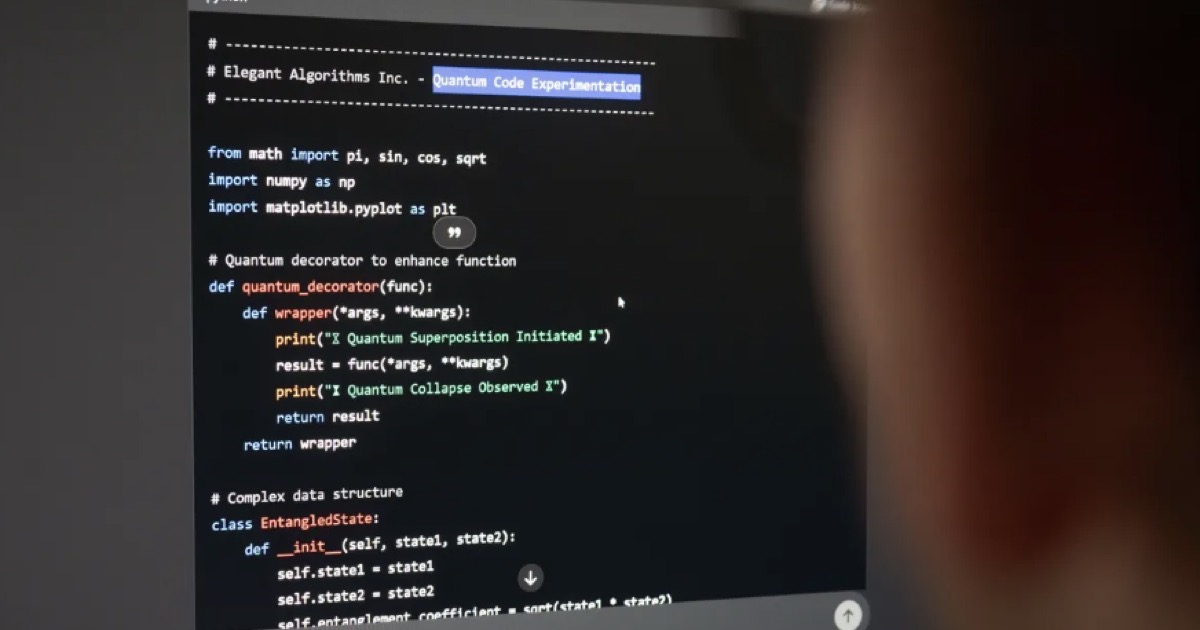

Overview: AI Coding Assistants in 2026
The AI coding assistant market has matured. GitHub Copilot pioneered the space and remains the most widely adopted solution. Cursor emerged as the first truly AI-native IDE, rethinking the development experience from the ground up. Claude Code brought Anthropic's powerful reasoning capabilities to software development with agentic features.
Each tool represents a different philosophy: Copilot integrates AI into existing workflows, Cursor rebuilds the IDE around AI, and Claude Code enables AI to operate more autonomously on complex tasks.
Quick Comparison
Here's how the three tools compare at a glance:
- GitHub Copilot: Best IDE integration (VS Code, JetBrains), most mature, backed by Microsoft/OpenAI
- Cursor: Purpose-built AI IDE, best multi-file editing via Composer, strong codebase indexing
- Claude Code: Best reasoning for complex tasks, 200K token context, true agentic capabilities
GitHub Copilot: The Integration Champion
GitHub Copilot remains the benchmark for seamless IDE integration. Its inline suggestions feel natural, and the tight GitHub integration means it understands your PRs, issues, and repository context. For teams already using GitHub, Copilot is the path of least resistance.
Copilot Strengths
- Seamless integration with VS Code and JetBrains IDEs
- Backed by GitHub/Microsoft with strong enterprise support
- Best-in-class inline code completion experience
- Deep GitHub integration for PRs and issues
- Most mature and widely adopted solution
Copilot Limitations
- Limited multi-file editing capabilities
- No true agentic coding features
- Context window smaller than competitors
- Requires GitHub account and subscription
Cursor: The AI-Native IDE
Cursor took a bold approach: instead of adding AI to an existing IDE, build an IDE around AI. The result is an experience where AI feels native rather than bolted on. Composer mode enables multi-file edits through conversation, and the codebase indexing provides genuine understanding of your project structure.
Cursor Strengths
- Purpose-built AI-first IDE experience
- Excellent multi-file editing with Composer
- Strong codebase understanding and indexing
- Fast iteration on new AI features
- Tab completion feels more natural
Cursor Limitations
- Requires switching from your current IDE
- No JetBrains or other IDE support
- Newer company with less enterprise track record
- Learning curve for Composer workflows
Claude Code: The Reasoning Powerhouse
Claude Code leverages Anthropic's Claude model, known for its strong reasoning and long context window. Where other tools excel at tactical code completion, Claude Code shines at strategic work: understanding complex systems, refactoring legacy code, and working autonomously on multi-step tasks.
Claude Code Strengths
- Best reasoning capabilities for complex code
- 200K token context window for large codebases
- True agentic coding with autonomous operations
- Excellent at understanding legacy code
- Strong CLI experience for terminal users
Claude Code Limitations
- Requires more setup than integrated solutions
- No native IDE (relies on extensions/CLI)
- API costs can add up for heavy usage
- Less polished inline completion
Pricing Comparison (2026)
Here's how the pricing compares across the three tools:
- GitHub Copilot: $10/month individual, $19/user/month business, Enterprise pricing available
- Cursor: $20/month Pro (unlimited completions, 500 fast requests/day), $40/user/month business
- Claude Code: Included in Claude Pro ($20/month), or usage-based API pricing
Who Should Use What?
Choose GitHub Copilot if:
- You're heavily invested in VS Code or JetBrains
- You need enterprise-grade compliance and support
- Inline code completion is your primary use case
- You want the most mature, stable solution
- Your team is already using GitHub
Choose Cursor if:
- You're open to switching to a new AI-native IDE
- Multi-file editing and refactoring are important
- You want the fastest iteration on new AI features
- You prefer Composer-style conversational coding
- You work with large, complex codebases
Choose Claude Code if:
- You tackle complex architectural problems
- You need to understand large legacy codebases
- You prefer CLI/terminal-based workflows
- You want true autonomous coding capabilities
- You need the longest context window available
Final Verdict
The "best" AI coding assistant depends entirely on your workflow and priorities. GitHub Copilot wins for seamless integration and enterprise maturity. Cursor wins for the most innovative AI-native experience. Claude Code wins for complex reasoning and autonomous capabilities.
Our recommendation: Start with the tool that fits your current workflow (probably Copilot if you're in VS Code/JetBrains). As you identify gaps, supplement with specialized tools. Many power users run Copilot for quick completions and reach for Claude Code when tackling complex architectural challenges.
Frequently Asked Questions
Yes, many developers use multiple tools. A common setup is Copilot for inline completions plus Claude Code for complex tasks. However, running multiple AI extensions can cause conflicts and slow down your IDE. Test combinations carefully.
All three offer enterprise tiers with code privacy guarantees. GitHub Copilot Business/Enterprise has the most mature compliance certifications (SOC 2, GDPR). Cursor and Claude also offer business tiers with privacy controls.
GitHub Copilot is the most beginner-friendly due to its seamless IDE integration and inline suggestions. Cursor is also approachable with its chat-first interface. Claude Code's CLI requires more technical comfort but offers excellent explanations.
Copilot: $10/month individual, $19/user/month business. Cursor: $20/month Pro, $40/user/month business. Claude Code: Usage-based via API or included in Claude Pro ($20/month).
Claude Code's 200K token context window gives it an edge for understanding large codebases in a single prompt. Cursor's indexing provides excellent codebase-wide search and understanding. Copilot's context is more limited but works well for focused tasks.
Need Expert Technology Guidance?
20+ years leading technology transformations. Get a fractional CTO perspective on your biggest challenges.