

Key Takeaways
- Code Quality — Codex generates correct, well-structured code across languages. Multi-file edits land cleanly. Test generation is strong. On Terminal-Bench 2.0, Codex CLI scores 82% — comparable to the top tier.
- Design & UX — The desktop app's interface is functional but unpolished. Layout feels cramped, typography lacks hierarchy, and interaction patterns are inconsistent. Compared to Cursor's refined IDE or Claude Code's clean terminal experience, it feels like a beta.
- Architecture — Cloud-first execution model. Code runs in OpenAI's sandboxed environments, not on your machine. This is fast and eliminates local setup, but means your source code passes through OpenAI infrastructure.
- Ecosystem Fit — Tight ChatGPT integration. If your team already pays for Plus or Pro, Codex is included. Adding Claude Code or Cursor means another vendor, another bill, another security review.
Why this review exists
I run Claude Code as my primary coding tool across four development machines. I have used Cursor, Windsurf, and Copilot extensively. When OpenAI shipped the Codex desktop app, I installed it to see whether it changes the calculus for teams evaluating AI coding tools in 2026. This is what I found after two weeks of daily use on real projects.
The code output is genuinely good
Codex generates clean, correct code. Multi-file edits land where they should. Refactoring suggestions preserve behavior. Test generation produces tests that actually test something rather than asserting that true is true. On Terminal-Bench 2.0, Codex CLI scores 82% with GPT-5.5, placing it in the top 10 among 143 agents tested.
The model powering Codex (GPT-5.5, with codex-mini-latest for faster tasks) handles context well. It follows existing patterns in a codebase, respects naming conventions, and generates code that reads like a human wrote it. For backend work — API endpoints, database queries, migration scripts — the output is production-ready more often than not.
Where Codex occasionally stumbles is on frontend tasks. Complex React component hierarchies, CSS-heavy layouts, and design system compliance tend to produce results that need more iteration than the backend equivalents. This matches the broader observation that current models are better at logic than aesthetics.
The design needs work
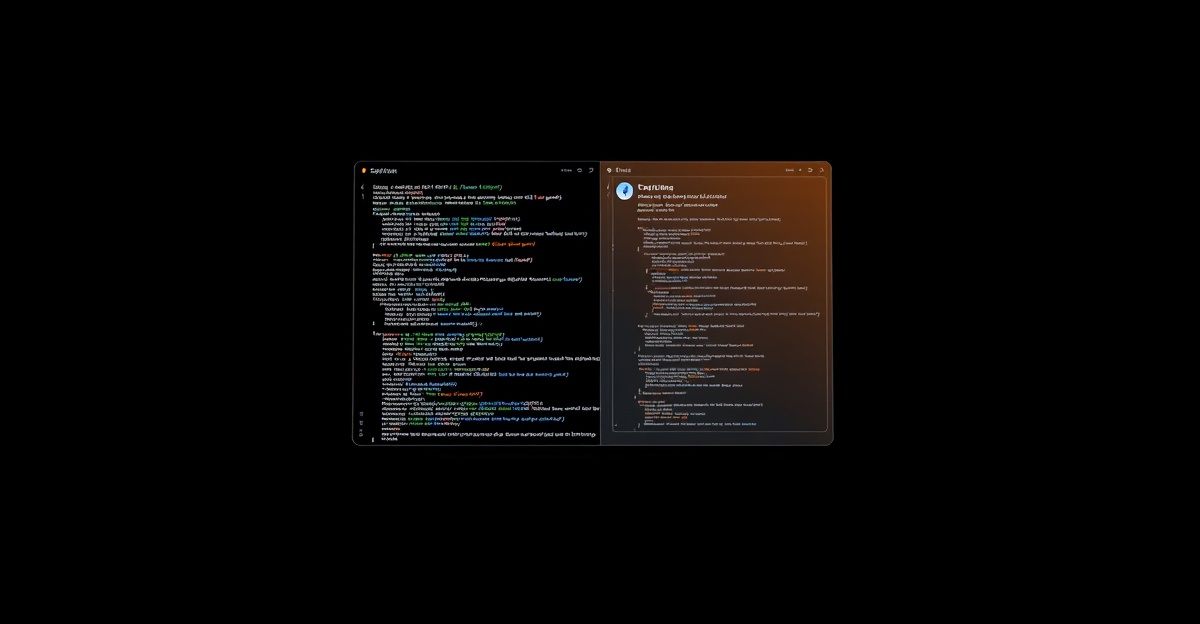
The desktop app's UI is functional but unfinished. The layout feels cramped, with insufficient spacing between panels. Typography lacks visual hierarchy — code, comments, and system messages blend together. Interaction patterns are inconsistent: some actions use keyboard shortcuts, others require clicking through menus, and the shortcuts are not always discoverable.
Compare this to Cursor, which invested heavily in making its IDE feel native and responsive, or to Claude Code's terminal interface, which achieves clarity through simplicity. The Codex desktop app sits in an uncomfortable middle: neither as refined as a dedicated IDE nor as focused as a terminal tool.
The irony is not lost: a tool that generates code struggles with its own interface design. This is not a fatal flaw — the app is usable, and the code output is what matters for productivity. But first impressions affect adoption. Engineers who trial Codex alongside Cursor or Claude Code will notice the gap immediately. For teams evaluating tools, the polish difference signals where OpenAI's investment priorities lie (models and infrastructure, not desktop UX).
Cloud execution: fast, but not for everyone
Codex runs your code in OpenAI's cloud sandboxes. This means zero local setup. No runtimes to install, no dependency conflicts. The sandbox boots fast, and execution is responsive. For greenfield projects or one-off scripts, the cloud model works well.
The tradeoff is trust. Your source code moves through OpenAI infrastructure during every agent run. OpenAI offers SOC2 compliance and enterprise data handling agreements, but for teams in regulated industries (finance, healthcare, defense), the cloud execution model is disqualifying regardless of compliance certifications. These teams need tools where code stays on their machines — Claude Code (local execution) or self-hosted options like OpenClaw.
There is also a latency question. Complex multi-file operations that Claude Code executes instantly on local hardware take noticeably longer in the Codex cloud sandbox. The difference is seconds, not minutes, but it compounds during intensive refactoring sessions where you want rapid iteration.
For enterprise procurement: OpenAI offers SOC2 compliance and enterprise data handling agreements for Codex. OpenAI's terms of service do not claim ownership of generated code output. Unlike GitHub Copilot, which provides explicit IP indemnification for enterprise customers, OpenAI has not announced a comparable indemnity program for Codex. If your legal team requires IP indemnification as a condition of adoption, this is a gap.
Where Codex fits in the stack
The strongest case for the Codex desktop app is ecosystem alignment. If your team already pays for ChatGPT Plus or Pro, Codex is included. Adding Claude Code ($100-200/month for Max) or Cursor ($20/month) means another vendor, another procurement cycle, another security review. For organizations where adding a vendor takes weeks, using what you already have is a real advantage.
Codex also bridges two interfaces. The same backend powers the Codex CLI (for terminal-native developers), the desktop app (for GUI preference), and the ChatGPT web interface (for non-engineers dispatching tasks). A product manager can describe a feature in ChatGPT, and the same Codex engine that serves the desktop app will generate the implementation. No other tool in the market offers this cross-persona reach. That said, non-engineer-dispatched code still requires engineering review before merging — treat it as a draft, not a deliverable.
The weakness is model lock-in. Codex uses OpenAI models exclusively. If GPT-5.5 underperforms on a specific task compared to Claude Opus 4.7 or Gemini 3.1 Pro, you cannot swap. Tools like OpenClaw and Hermes Agent are model-agnostic, letting teams route to whichever provider performs best for each task type.
Verdict
The Codex desktop app is a capable coding agent wrapped in a mediocre interface. The code quality is competitive with Claude Code and Cursor. The cloud execution model is convenient but excludes compliance-sensitive teams. The design and UX are the weakest among the major players.
Use it if: your team already has ChatGPT Plus/Pro, you want a native desktop app without adding another vendor, and your compliance requirements allow cloud code execution.
Skip it if: you need local code execution (use Claude Code), you want a polished IDE experience (use Cursor), or you need model flexibility (use OpenClaw).
OpenAI has the model quality and the distribution to make this a leading tool. They need to hire a design team that matches the quality of their research team. Until then, the Codex desktop app is a strong engine in a rough chassis.
Frequently asked questions
Is the Codex desktop app free?
Codex is included with ChatGPT Plus ($20/month) and ChatGPT Pro ($200/month) subscriptions. There is no separate purchase. Usage is subject to rate limits that vary by plan tier — Plus users get fewer concurrent agents and lower priority than Pro users. Token-based API pricing ($1.50/6 per million tokens) applies if you access Codex through the API instead of the desktop app.
How does Codex desktop compare to Claude Code?
Code quality is comparable — both handle multi-file edits, refactoring, and test generation well. The key differences are execution model (Codex runs in cloud sandboxes, Claude Code runs locally), interface (Codex has a native desktop app, Claude Code is terminal-first with IDE plugins), and model lock-in (Codex uses OpenAI models only, Claude Code uses Claude only). Claude Code's UX is more polished and its local execution model is better for compliance-sensitive teams.
Does the Codex desktop app work offline?
No. Codex requires an internet connection because code execution happens in OpenAI's cloud sandboxes. Unlike Claude Code, which runs entirely on your local machine, Codex cannot function without connectivity. This is a meaningful limitation for developers who work in environments with restricted or intermittent internet access.
Can I use the Codex desktop app with my own codebase?
Yes. You point Codex at a local repository and it clones or syncs the relevant files to its cloud sandbox for execution. The agent can read your project structure, understand dependencies, and make changes across multiple files. Results sync back as diffs you can review and apply. The workflow is similar to Cursor Background Agents but with a standalone app rather than an IDE.
Is the Codex desktop app secure for enterprise use?
OpenAI offers SOC2 compliance and enterprise tiers with data handling agreements. However, the cloud execution model means your source code passes through OpenAI infrastructure during agent runs. For teams with strict data residency or air-gapped requirements, this is a non-starter. Evaluate against your compliance requirements. Self-hosted alternatives like OpenClaw or local-execution tools like Claude Code avoid the code-in-cloud concern entirely.
does codex work offline
No. Codex uses a cloud-first execution model, running code in OpenAI's sandboxed environments rather than on your machine. Every agent run passes your source code through OpenAI infrastructure, so an internet connection and access to OpenAI's cloud are required. If you need local execution, the review points to Claude Code or self-hosted options like OpenClaw instead.
Frequently Asked Questions
Is the Codex desktop app free?
Codex is included with ChatGPT Plus ($20/month) and ChatGPT Pro ($200/month) subscriptions. There is no separate purchase. Usage is subject to rate limits that vary by plan tier — Plus users get fewer concurrent agents and lower priority than Pro users. Token-based API pricing ($1.50/6 per million tokens) applies if you access Codex through the API instead of the desktop app.
How does Codex desktop compare to Claude Code?
Code quality is comparable — both handle multi-file edits, refactoring, and test generation well. The key differences are execution model (Codex runs in cloud sandboxes, Claude Code runs locally), interface (Codex has a native desktop app, Claude Code is terminal-first with IDE plugins), and model lock-in (Codex uses OpenAI models only, Claude Code uses Claude only). Claude Code's UX is more polished and its local execution model is better for compliance-sensitive teams.
Does the Codex desktop app work offline?
No. Codex requires an internet connection because code execution happens in OpenAI's cloud sandboxes. Unlike Claude Code, which runs entirely on your local machine, Codex cannot function without connectivity. This is a meaningful limitation for developers who work in environments with restricted or intermittent internet access.
Can I use the Codex desktop app with my own codebase?
Yes. You point Codex at a local repository and it clones or syncs the relevant files to its cloud sandbox for execution. The agent can read your project structure, understand dependencies, and make changes across multiple files. Results sync back as diffs you can review and apply. The workflow is similar to Cursor Background Agents but with a standalone app rather than an IDE.
Is the Codex desktop app secure for enterprise use?
OpenAI offers SOC2 compliance and enterprise tiers with data handling agreements. However, the cloud execution model means your source code passes through OpenAI infrastructure during agent runs. For teams with strict data residency or air-gapped requirements, this is a non-starter. Evaluate against your compliance requirements. Self-hosted alternatives like OpenClaw or local-execution tools like Claude Code avoid the code-in-cloud concern entirely.
does codex work offline
No. Codex uses a cloud-first execution model, running code in OpenAI's sandboxed environments rather than on your machine. Every agent run passes your source code through OpenAI infrastructure, so an internet connection and access to OpenAI's cloud are required. If you need local execution, the review points to Claude Code or self-hosted options like OpenClaw instead.
Need Expert Technology Guidance?
20+ years leading technology transformations. Get a technology executive's perspective on your biggest challenges.
